Creating a productive home office space is essential for anyone looking to work effectively outside of a traditional office setting. Whether you already have a dedicated room or a corner in your living space, setting up an environment that encourages focus and well-being can make a significant difference in your workday.
In this post, we’ll explore practical tips to help you design a home office that not only looks good but also supports your productivity and comfort.
1. Choose the Right Location
Selecting the best spot for your home office is the first step. Ideally, pick a quiet area with minimal distractions. A spare room with a door can provide privacy, but if that’s not available, a quiet corner away from foot traffic can work too.
Consider Natural Light
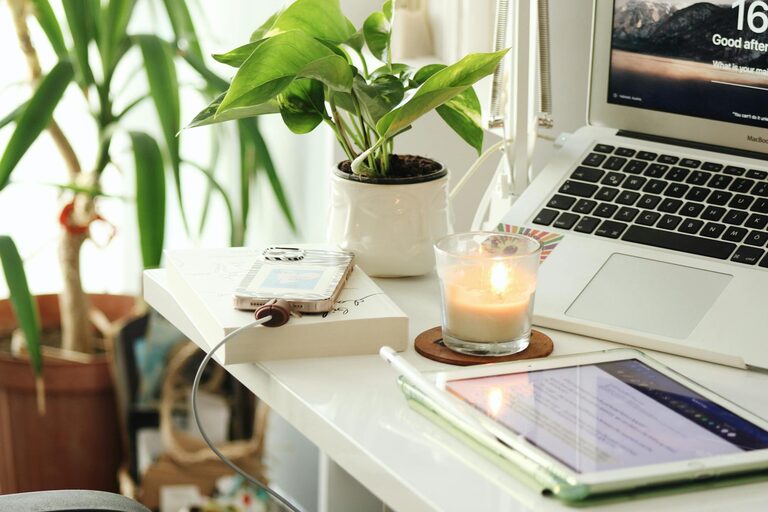
Natural light is a big mood and productivity booster. Try to position your desk near a window to take advantage of daylight. Avoid glare on your computer screen by placing your monitor perpendicular to the window.
2. Invest in Comfortable and Functional Furniture
Comfort plays a vital role in maintaining focus and avoiding physical strain.
Ergonomic Chair
Choose an ergonomic office chair that supports your back and encourages good posture. Adjustable height and lumbar support can help reduce discomfort during long work hours.
Suitable Desk
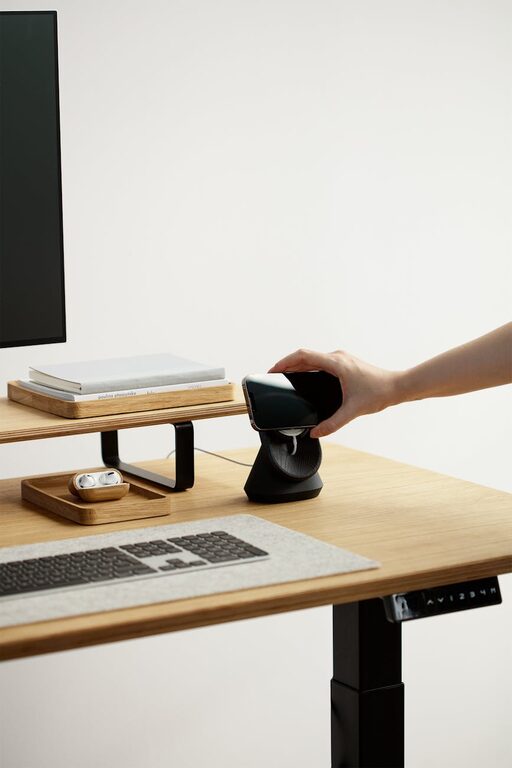
Your desk should have enough surface area for your computer, essential papers, and accessories without feeling cluttered. Consider a desk with storage options or add organisers to keep your space tidy.
Adjustable Desk Options
If possible, consider a sit-stand desk to alternate between sitting and standing during the day, promoting better circulation and reducing fatigue.
3. Organise Your Workspace Efficiently
An organised desk helps reduce stress and makes it easier to find what you need.
Use Storage Solutions
Shelves, drawers, filing cabinets, or baskets can keep supplies out of sight but within easy reach.
Declutter Regularly
Make a habit of clearing your desk at the end of each day. Removing unnecessary items will keep your workspace clean and inviting.
Digital Organisation
Keep your computer desktop and files organised so you spend less time searching for digital documents.
4. Manage Lighting Thoughtfully
Proper lighting can reduce eye strain and improve concentration.
Combine Natural and Artificial Lighting
Use a mix of natural light, ambient light, and task lighting. For example, an adjustable desk lamp focused on your work area can be very effective.
Choose Warm or Daylight Bulbs
Lighting that mimics natural daylight (around 5000K) can keep you alert, while warm lighting (2700K–3000K) creates a cosy atmosphere for less intense tasks.
5. Minimise Distractions
Keeping distractions at bay helps maintain momentum throughout the day.
Noise Control
If noise is an issue, use noise-cancelling headphones or soft background music designed for focus. Alternatively, white noise machines can help mask disruptive sounds.
Limit Visual Clutter
Keep your workspace free from unrelated decorations or personal items that can pull your attention away from your work.
6. Personalise Your Space Mindfully
While keeping your workspace clear is important, adding some personal touches can make it a pleasant place to spend time.
– Houseplants can improve air quality and add a splash of colour.
– Motivational quotes or artwork can inspire and keep you positive.
– A comfortable rug or cushions may improve the comfort of your surroundings.
Just make sure personal items don’t overcrowd your space or become distractions.
7. Ensure Good Air Quality and Temperature
A well-ventilated room with comfortable temperature levels helps you stay focused and alert.
– Open windows regularly to let fresh air circulate.
– Use fans or heaters as needed to maintain a comfortable temperature.
– Consider adding an air purifier if your room tends to feel stuffy.
8. Set Boundaries and Designate Work Hours
Creating rules around your home office use can improve work-life balance.
– Let others in your household know your working hours to minimise interruptions.
– Avoid using your workspace for non-work activities to keep your mind in the right mode.
9. Use Technology to Your Advantage
Optimise your work set-up with useful devices and software.
– Use a good quality monitor and keyboard to reduce eye and hand strain.
– Invest in a reliable internet connection to avoid disruptions during important tasks or calls.
– Install productivity apps or tools that help with task management and communication.
10. Take Breaks and Move Regularly
Even the best set-up won’t help if you stay glued to your seat all day.
– Take short breaks every hour to stretch and rest your eyes.
– Use reminders or apps to prompt movement and avoid burnout.
—
Creating a productive home office takes some planning, but with these tips, you can make your space a comfortable, efficient, and enjoyable place to work. Remember, the key is to find what works best for your needs and lifestyle.
Have you tried setting up a home office? What are your top tips? Share your thoughts in the comments below!
About the Author