Creating a well-organised home workspace can have a significant impact on how efficiently you work and how much you enjoy your day. Whether you’re working remotely, freelancing, or simply need a dedicated area for projects and paperwork, a tidy and thoughtfully arranged workspace can help you stay focused and productive.
In this post, we’ll explore simple, practical tips for organising your home workspace to improve your productivity and overall well-being.
Why Organising Your Workspace Matters
A cluttered or poorly arranged workspace often leads to distractions, stress, and wasted time searching for things. On the other hand, a clean, organised workspace helps you:
– Stay focused and minimise distractions
– Find documents and tools quickly
– Maintain a professional mindset, even at home
– Feel more motivated and calm during work hours
Now, let’s look at how you can set up and maintain an organised, efficient workspace.
1. Choose the Right Spot
Selecting the right location for your home workspace is the foundation of organisation:
– Pick a quiet area with minimal interruptions
– Make sure there is enough natural light to reduce eye strain
– Ensure comfortable room temperature and ventilation
– Consider your furniture placement for comfort and functionality
Even a small corner of a room can be transformed into a productive workspace with the right approach.
2. Declutter Regularly
Clutter can quickly build up, making it harder to focus. Make it a habit to:
– Clear your desk at the end of each day
– Remove items that don’t serve an immediate purpose
– Store or recycle old documents and unneeded stationery
– Use a wastepaper basket nearby to avoid pile-ups
Regular decluttering keeps your workspace inviting and distraction-free.
3. Invest in Smart Storage Solutions
Having proper storage can make a big difference. Consider:
– Desktop organisers for pens, sticky notes, and small items
– Filing cabinets or folders for important documents
– Shelving units for books, reference materials, or supplies
– Cable organisers to keep cords tangle-free and out of sight
Label your storage containers so you can quickly find what you need.
4. Personalise Your Space, But Keep it Minimal
A few personal touches can make your workspace more enjoyable, but avoid going overboard:
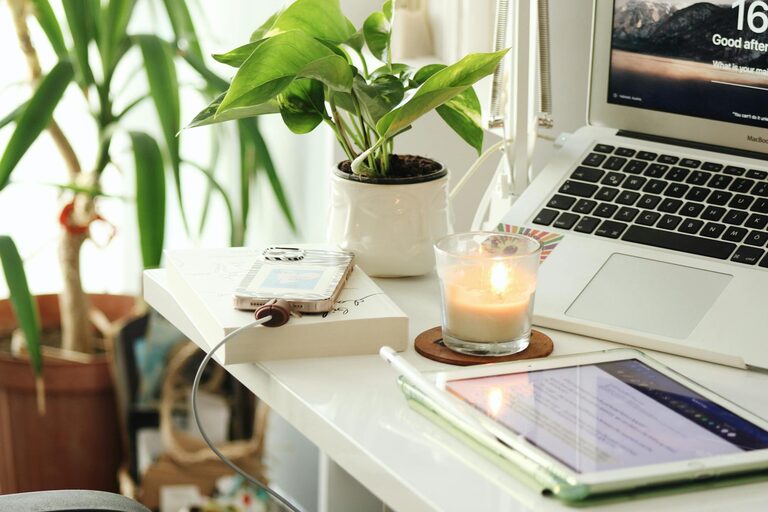
– Add a small plant to bring life and improve air quality
– Hang one or two inspiring photos or art pieces
– Use a nice desk mat or cushions for comfort
– Choose a colour scheme that feels calm and motivating
Too much decoration can be distracting, so aim for a balanced, inviting appearance.
5. Optimise Your Desk Layout
How you arrange the items on your desk affects your efficiency:
– Keep frequently used items within arm’s reach
– Position your computer screen at eye level to prevent strain
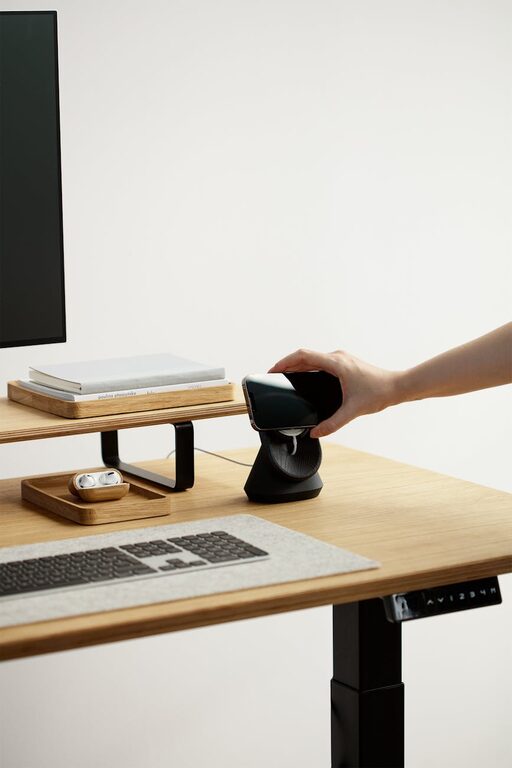
– Use vertical space with monitor stands or wall-mounted shelves
– Leave some clear space for writing or other tasks
A well-thought-out layout reduces unnecessary movement and keeps you focused.
6. Manage Cables and Technology Neatly
Technology is essential but can cause clutter. To manage cables and devices:
– Use cable clips, sleeves, or boxes to hide or group cables
– Position your charging station in an accessible spot
– Regularly clean your devices and peripherals
– Consider wireless options to minimise cable mess
A tidy tech setup looks professional and helps maintain concentration.
7. Create a Routine for Paperwork
Paper documents can accumulate quickly; a system will help:
– Sort mail and papers immediately
– Use an ‘Action’ tray for items needing your attention
– Archive completed documents in clearly labelled folders
– Digitise important papers to reduce physical clutter
Following a paperwork routine keeps your desk clean and your tasks organised.
8. Prioritise Comfort
Productivity is closely linked to comfort. To stay comfortable:
– Choose an ergonomic chair with good back support
– Ensure your desk height suits your posture
– Use a footrest if needed
– Take regular breaks to stretch and rest your eyes
A comfortable setup helps sustain long periods of focused work.
9. Set Boundaries and Minimise Distractions
Creating clear work boundaries can improve organisation by keeping interruptions at bay:
– Set specific work hours and communicate them with family or housemates
– Use noise-cancelling headphones if necessary
– Keep your phone on silent or in another room while working
– Avoid using your workspace for non-work activities
Boundaries help maintain a professional work environment at home.
10. Review and Adjust Periodically
Your workspace needs may change over time. Regularly assess:
– What is working well and what isn’t
– New tools or storage options you might need
– Ways to improve lighting or comfort
– Whether your space reflects your current responsibilities
An organised workspace is an ongoing project that adapts with your needs.
—
By following these simple tips, you can transform your home workspace into a place that supports your productivity, focus, and well-being. Start small, stay consistent, and enjoy the benefits of a well-organised environment. Happy organising!
About the Author